 LD ScriptsVisit store
Fewer tickets. Fairer queues.
LD Scripts makes server tools for FiveM roleplay: a queue that survives restarts, and refunds your staff hand out from Discord. Documented, escrow-protected and kept up to date.
Works with ESX, QBCore and Qbox. LD Queue also runs standalone and on RedM.
LD Queue
A restart-proof queue and priority system.
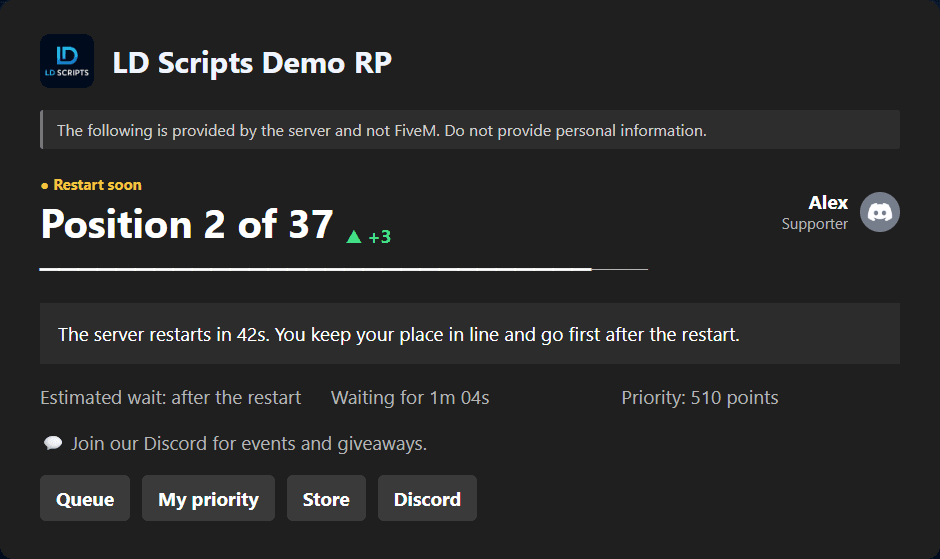
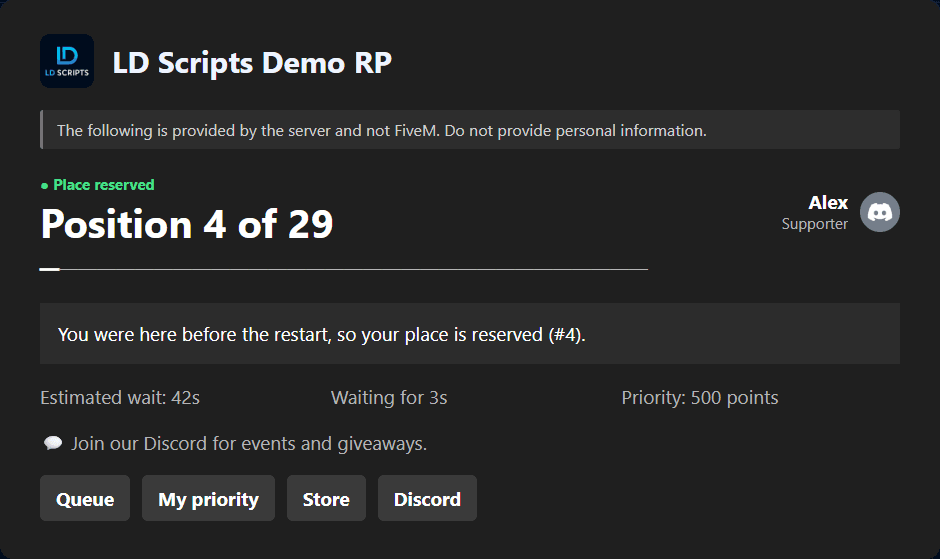
Restarts don't cost anyone their place
After a txAdmin restart, a manual restart or a crash, players get their spot back in their original order.
Never over your slot limit
Players who are still loading count as a slot. The count checks and repairs itself every 30 seconds.
Priority from where you already manage it
Discord roles, ACE permissions, your database, or a Tebex purchase that expires on its own.
LD Refunds
Refunds from Discord, claimed in-game.

Staff refund from Discord
Slash commands for items, weapons and money. Nobody has to join the server to fix a lost inventory.
Players claim it themselves
An in-game screen shows what's waiting. The player confirms, and it lands in their inventory.
Every refund on record
Who gave what to whom, and why, in your log channel and the dashboard.
Free scripts
Open source on GitHub, MIT license.
Recent updates
LD Queue
- 1.0.1Robustness fixes: a broken getPrimaryIdentifier hook can no longer stop the queue after a resource restart; /queue health warns when reserved slots plus reserved groups fill the server; GetConfig no longer exposes the bot token and webhook URLs; restarting /queue simulate stops the old run.
- 1.0.0Initial release.
LD Refunds
- 2.6.1refunds-link also works on a server that is already paired (for example after its token was revoked): approving the new link replaces the old pairing.
- 2.6.0Link your server without typing a code: an unpaired server prints a link in the console; open it, sign in with Discord and pick your Discord server. Run refunds-link for a new link; refunds-pair keeps working.
- 2.5.1New-refund notifications no longer cover the close button of the refund menu: while the menu is open they appear at the bottom-right.
Questions
Which frameworks are supported?
LD Refunds works with ESX, QBCore and QBox. LD Queue is standalone: it runs with ESX, QBCore, Qbox, vRP or no framework, on FiveM and RedM. For job priority and reserved slots it reads jobs from ESX, QBCore and Qbox.
How does licensing work?
It depends on the product. LD Refunds: your license is tied to your Discord account; claim and activate it in the dashboard at https://www.ldrefunds.com, one Discord server per license. LD Queue: no license key needed. It's protected with Cfx Asset Escrow and linked to your Cfx.re account automatically after purchase.
How do I install the scripts?
Each script comes with documentation. Check out with the Cfx.re account of your server, then download the resource from the Cfx Portal (Granted Assets) and add it to your server. LD Refunds has no config file and no database: you set it up in the dashboard at https://www.ldrefunds.com and pair your server once with refunds-pair in the txAdmin console. LD Queue has an open config.lua and works without a database; with oxmysql its tables are created automatically.
Are updates free?
LD Queue: every 1.x update is free, and your server console tells you when one is out. LD Refunds: updates are included while your license is active; with a lifetime license you get updates for as long as LD Refunds is offered.
Do you offer support?
Yes. Ask your question on our Discord (https://discord.ldscripts.com). Questions are usually answered within a few hours.
Can I get a refund?
We offer refunds within 24 hours of purchase if you haven't activated your license. Once a license is activated, refunds are evaluated on a case-by-case basis. Please contact support for assistance.
Documentation
Installation, configuration and troubleshooting.
Discord support
Ask the developer directly.
Contact
For licensing, business and anything that isn't support.